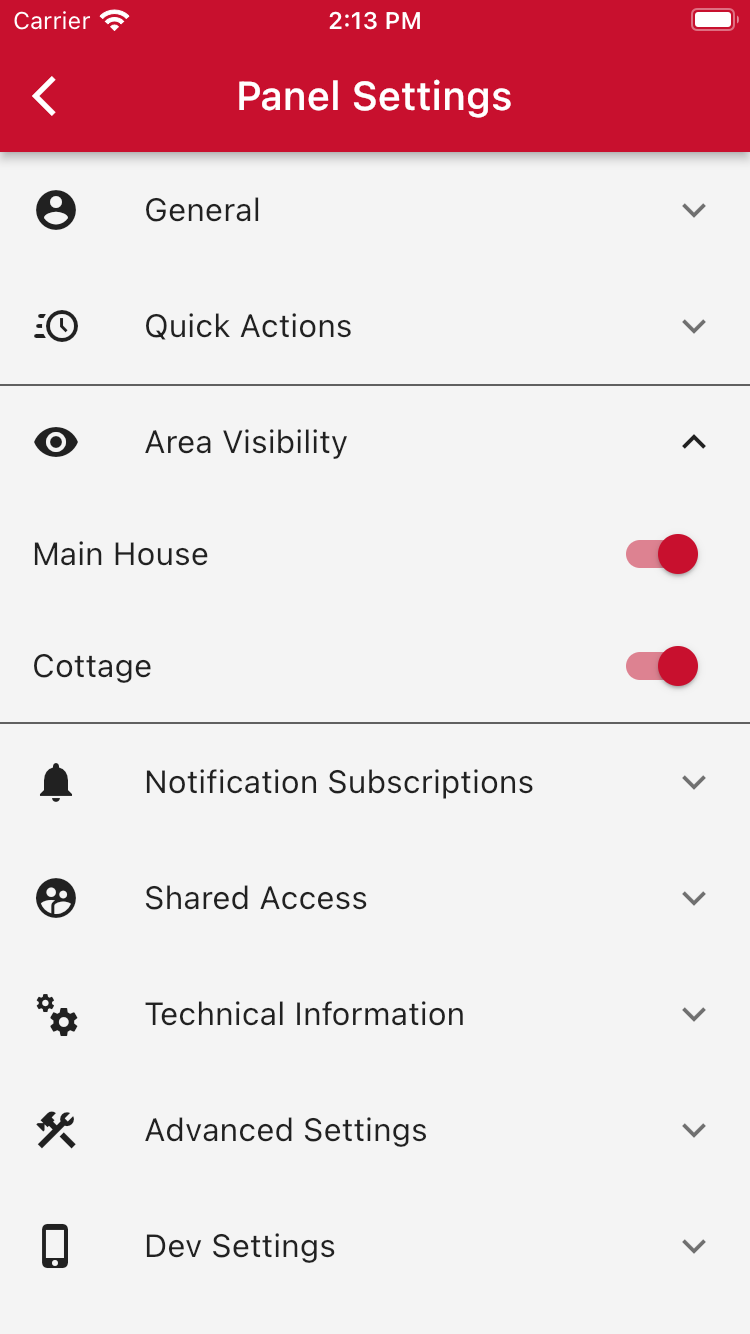
Open Panel Settings by tapping the gear icon in the top-right corner of the screen. From there, open the Area Visibility menu. Here you will see a list of all panel's areas. Turn on the areas that you would like to see on your home screen.
Was this article helpful?
That’s Great!
Thank you for your feedback
Sorry! We couldn't be helpful
Thank you for your feedback
Feedback sent
We appreciate your effort and will try to fix the article