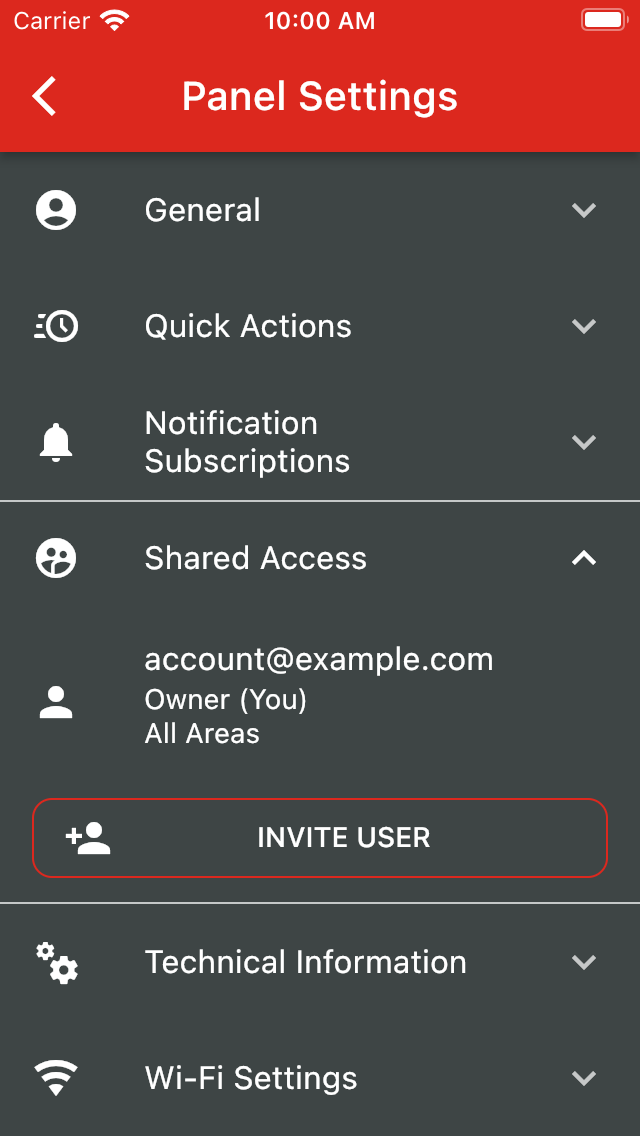
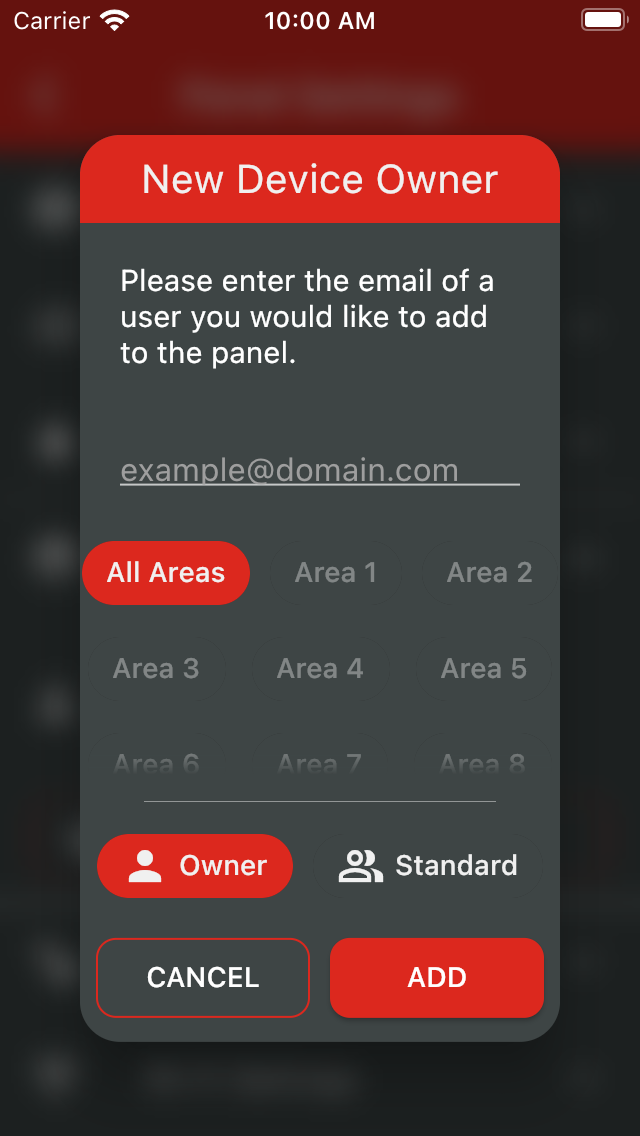
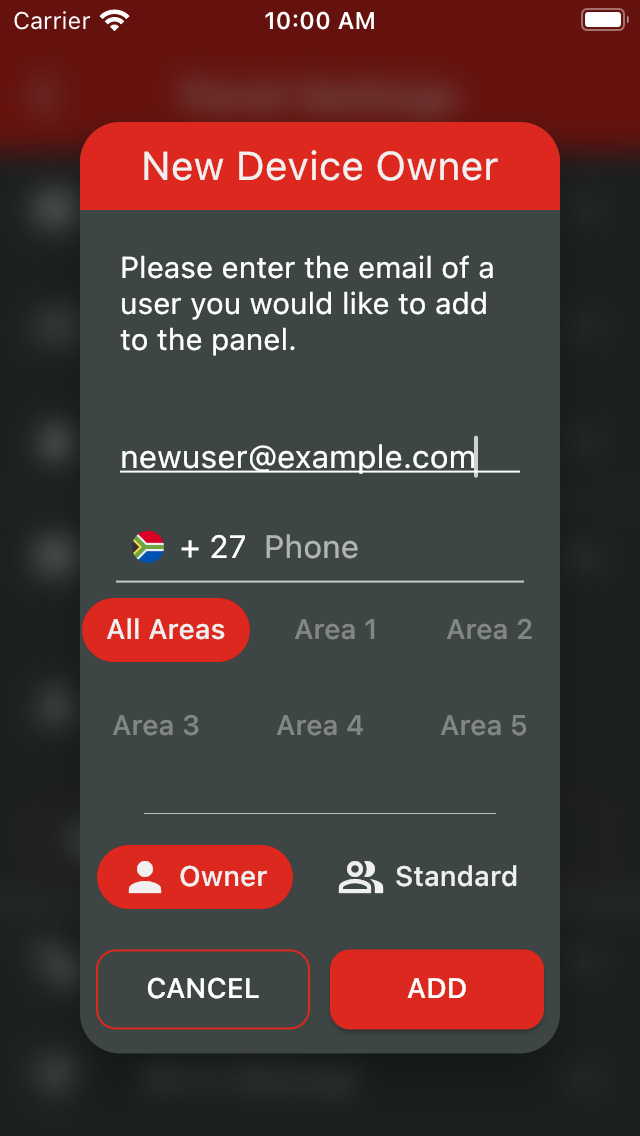
Open Panel Settings by tapping the gear icon in the top-right corner of the screen. From there, open the Shared Access menu. Here you will see a list of all the users linked to the panel. From here, you can invite a new user to access your panel, or edit an existing user's access. Note that only device owners can edit and invite other users. When inviting a user that is not registered to use the app, a phone number is required. They will then receive an invite and a temporary account will be created for them.
Was this article helpful?
That’s Great!
Thank you for your feedback
Sorry! We couldn't be helpful
Thank you for your feedback
Feedback sent
We appreciate your effort and will try to fix the article