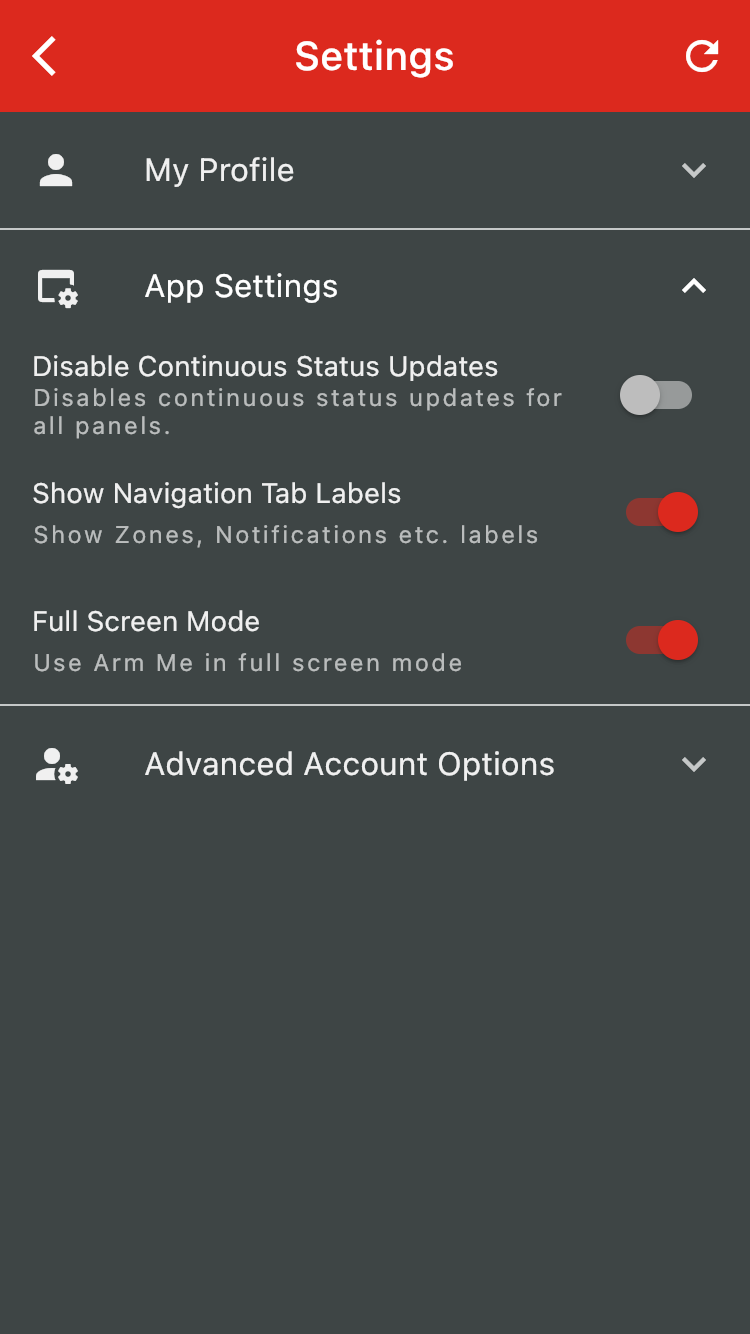
Some Android users may experience issues with on-screen navigation buttons overlapping some app interfaces. Users can now enable full-screen mode within the app to hide the navigation buttons.
Swipe right from the left edge of the screen or tap the hamburger menu icon to open up the side menu tray.
Tap on settings and then on account settings
Toggle Full-Screen mode to hide or show the navigation buttons
Was this article helpful?
That’s Great!
Thank you for your feedback
Sorry! We couldn't be helpful
Thank you for your feedback
Feedback sent
We appreciate your effort and will try to fix the article