*From version 4.0.1
Unused zones can now be hidden inside the security app.
1. Unhidden Zones
An unhidden zone will present normally and display the current Zone Status.

2. Hidden Zones
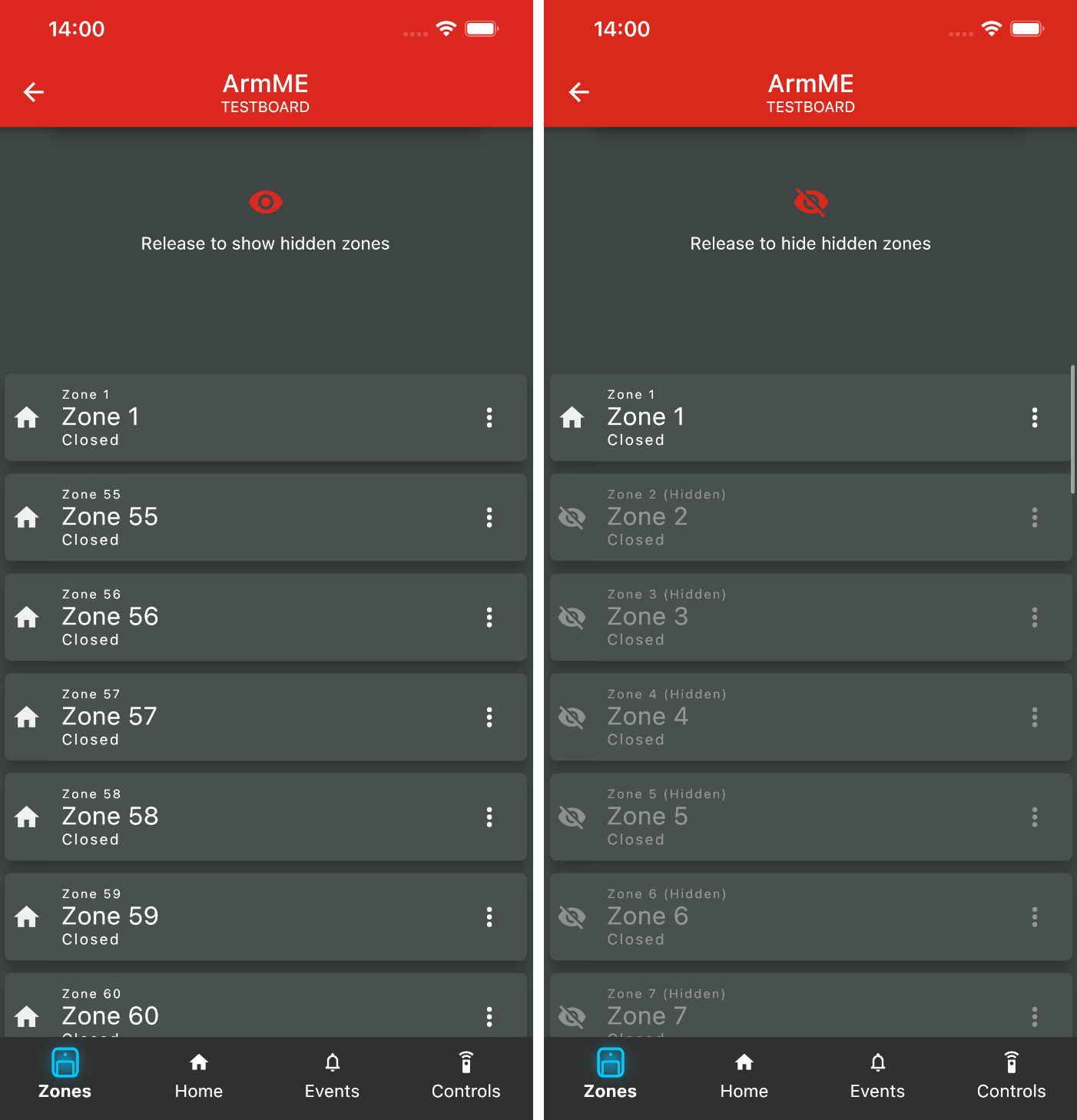
Hidden zones, when visible, is labelled as "Hidden" and is slightly greyed out. It will continue to display its current zone status.

3. Showing Hidden Zones
To show or hide hidden zones, simply drag the list of zones down until prompted to "Release to show hidden zones" or "Release to hide hidden zones".
4. Hiding and unhiding a zone
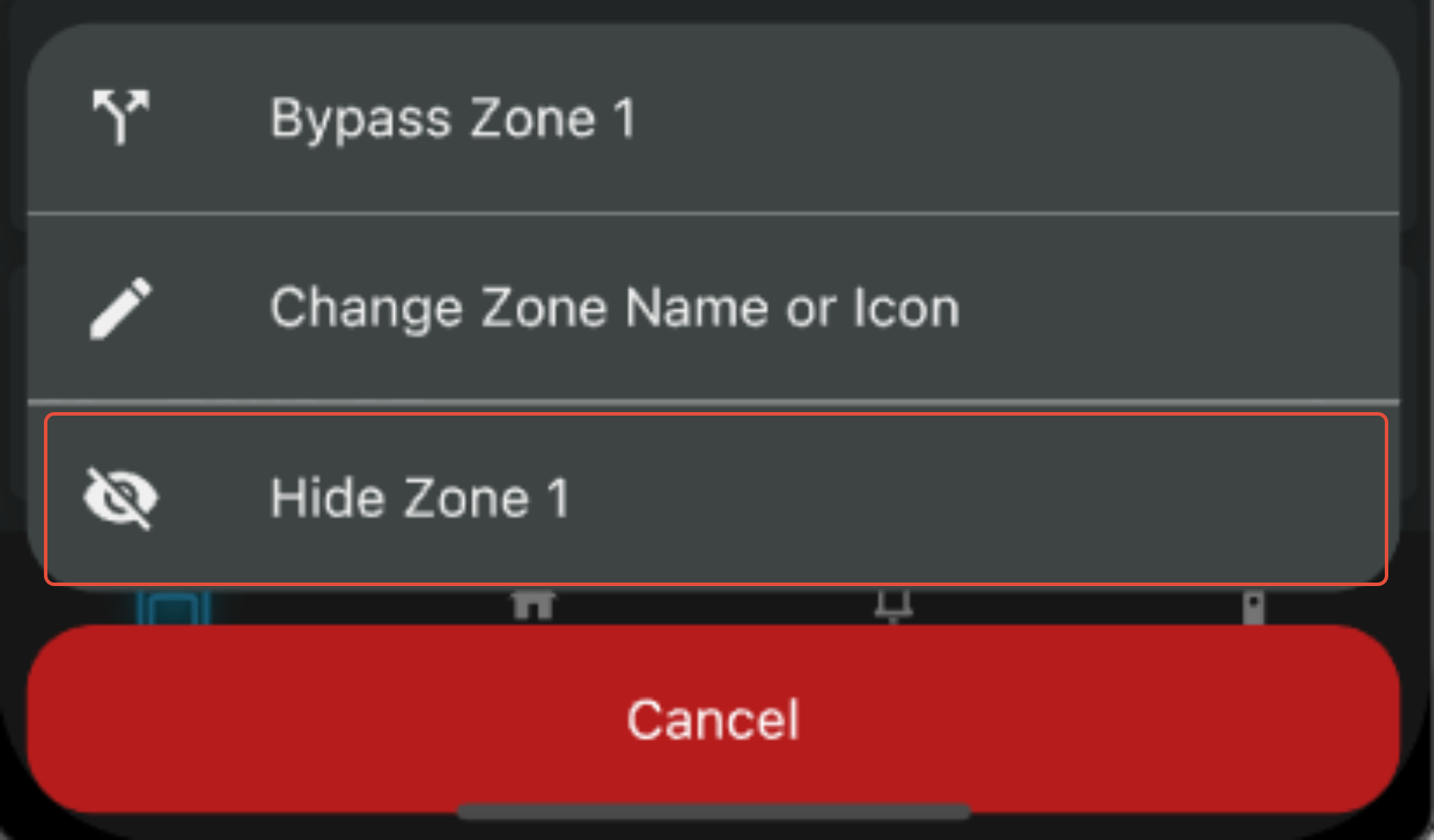
Tap on the menu button (⋮) to let the zone menu pop up. Then tap on "Hide/Unhide Zone ..."

Was this article helpful?
That’s Great!
Thank you for your feedback
Sorry! We couldn't be helpful
Thank you for your feedback
Feedback sent
We appreciate your effort and will try to fix the article