Arming and Disarming your Panel
To Arm or Disarm your panel, press the corresponding button at the bottom of the screen. The red button arms your partition and the green button disarms the current area. The button will be highlighted based on the current state of the area.
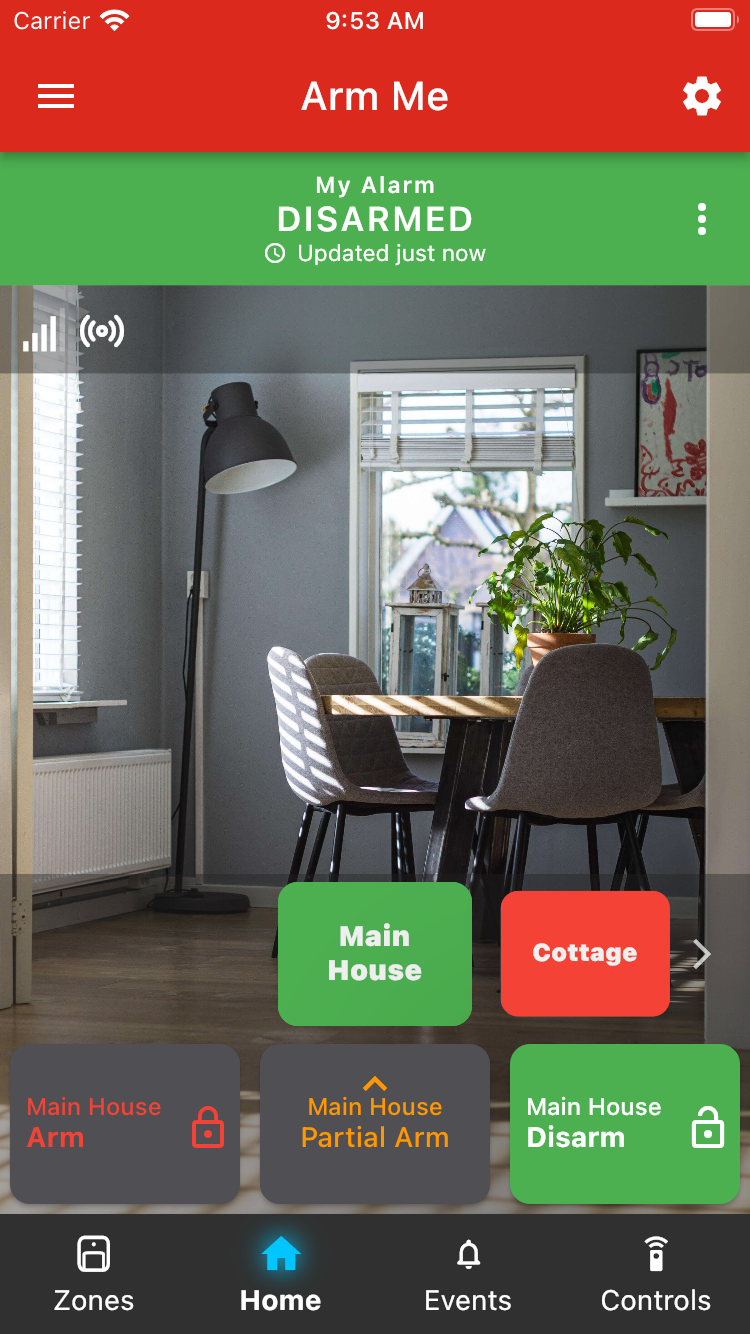
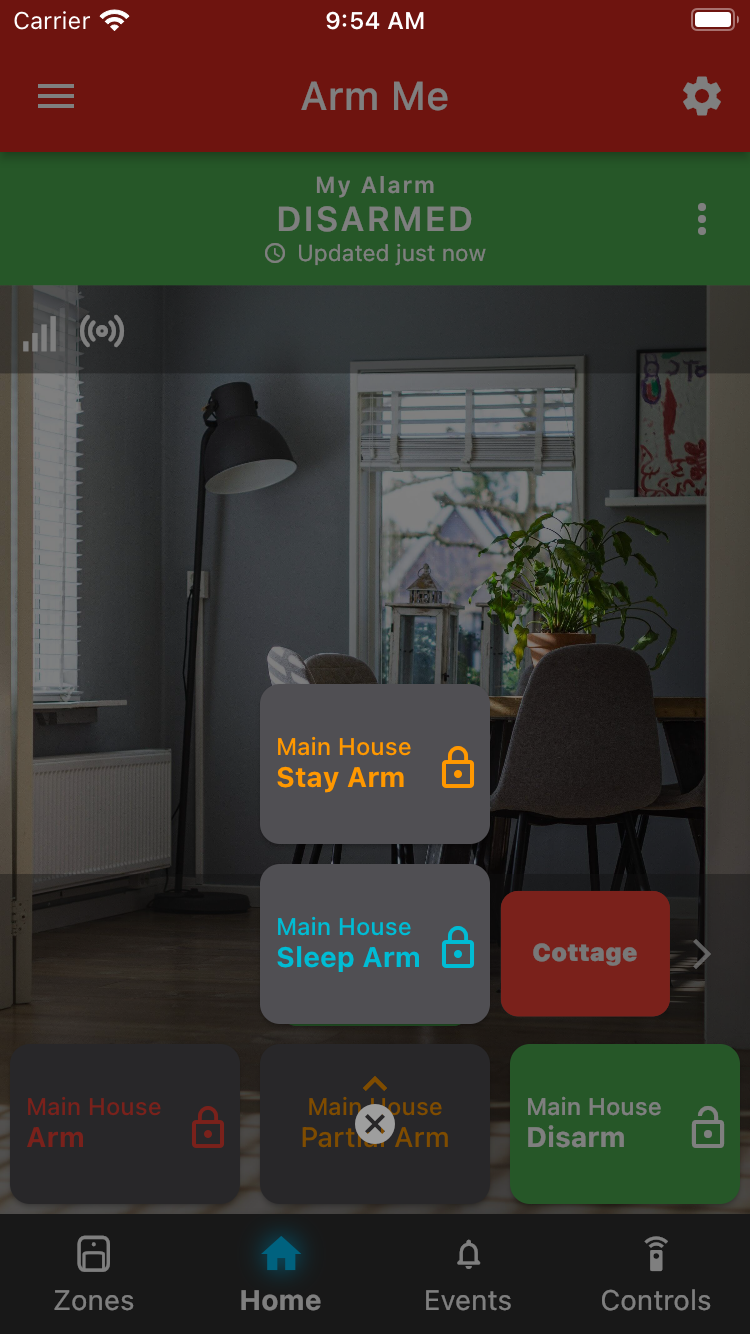
Some panels support multiple stay arms or may have a sleep arm function. In the example below, the panel has one stay arm and one sleep arm. To Stay Arm or Sleep Arm the partition, press the corresponding button.
Was this article helpful?
That’s Great!
Thank you for your feedback
Sorry! We couldn't be helpful
Thank you for your feedback
Feedback sent
We appreciate your effort and will try to fix the article