How to remember your user code the first time
Step 1: Enter your user code
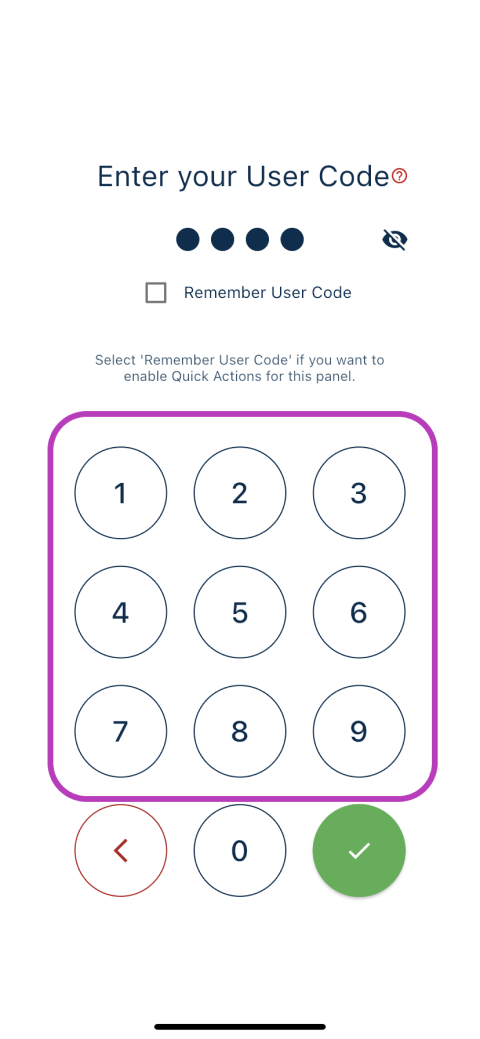
Step 2: Tick the "Remember User Code" box
How to remove and add a new user code
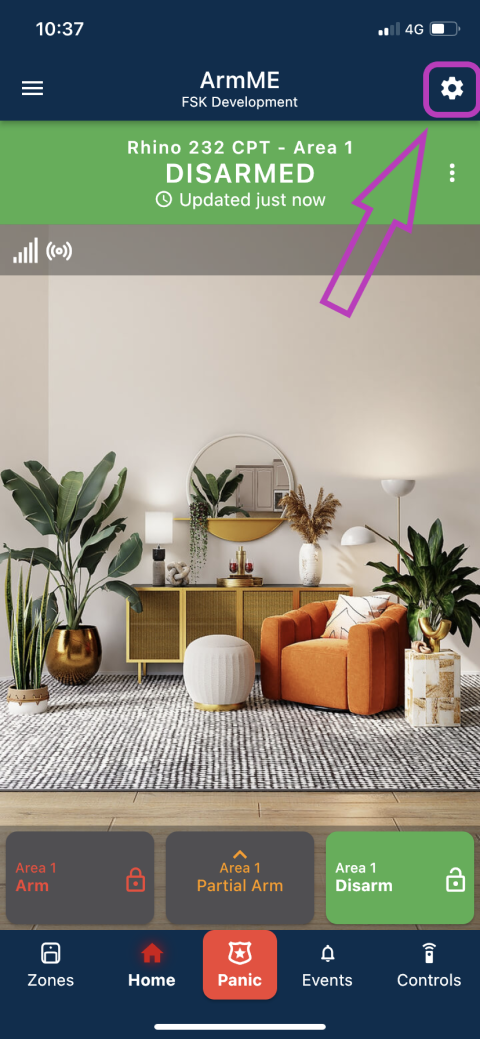
Step 1: Go to the panel settings screen by clicking on the gear icon.
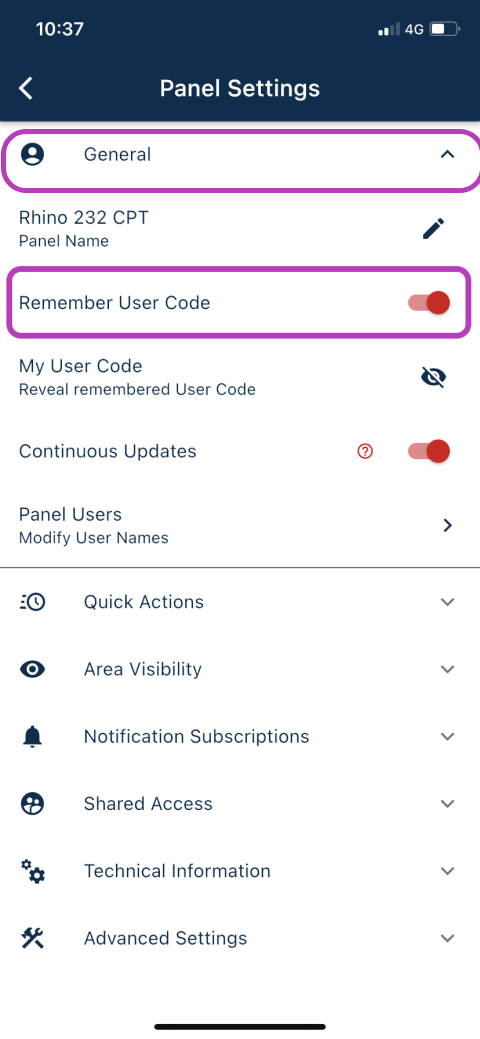
Step 2: Open the General settings section
Step 3: Untick "Remember User Code"
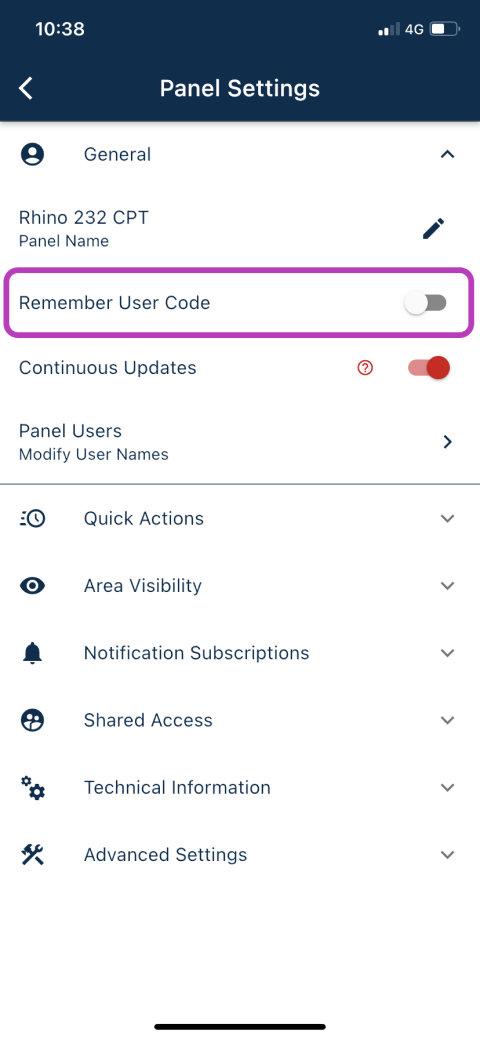
Step 4: Please close the app and reopen your panel. You can then reenter your code as explained at the top of this article.
Was this article helpful?
That’s Great!
Thank you for your feedback
Sorry! We couldn't be helpful
Thank you for your feedback
Feedback sent
We appreciate your effort and will try to fix the article