Customise zone name and icon
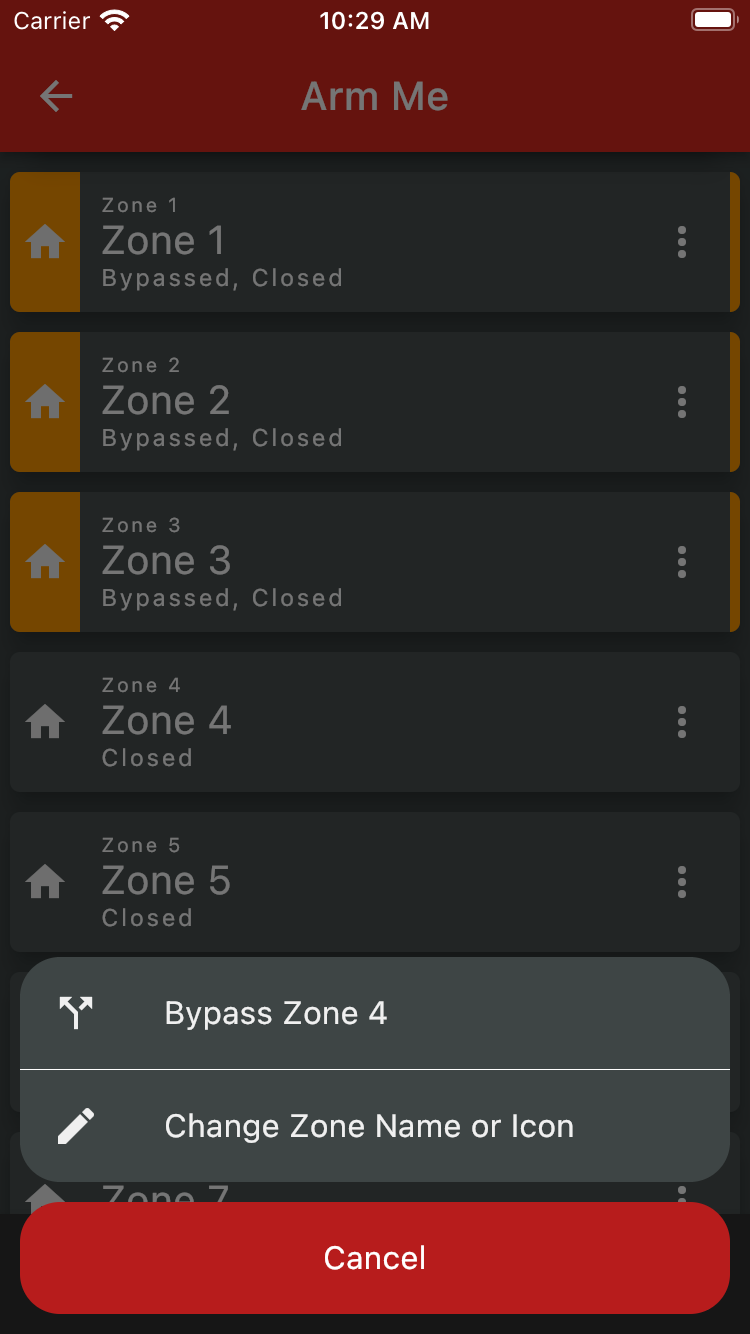
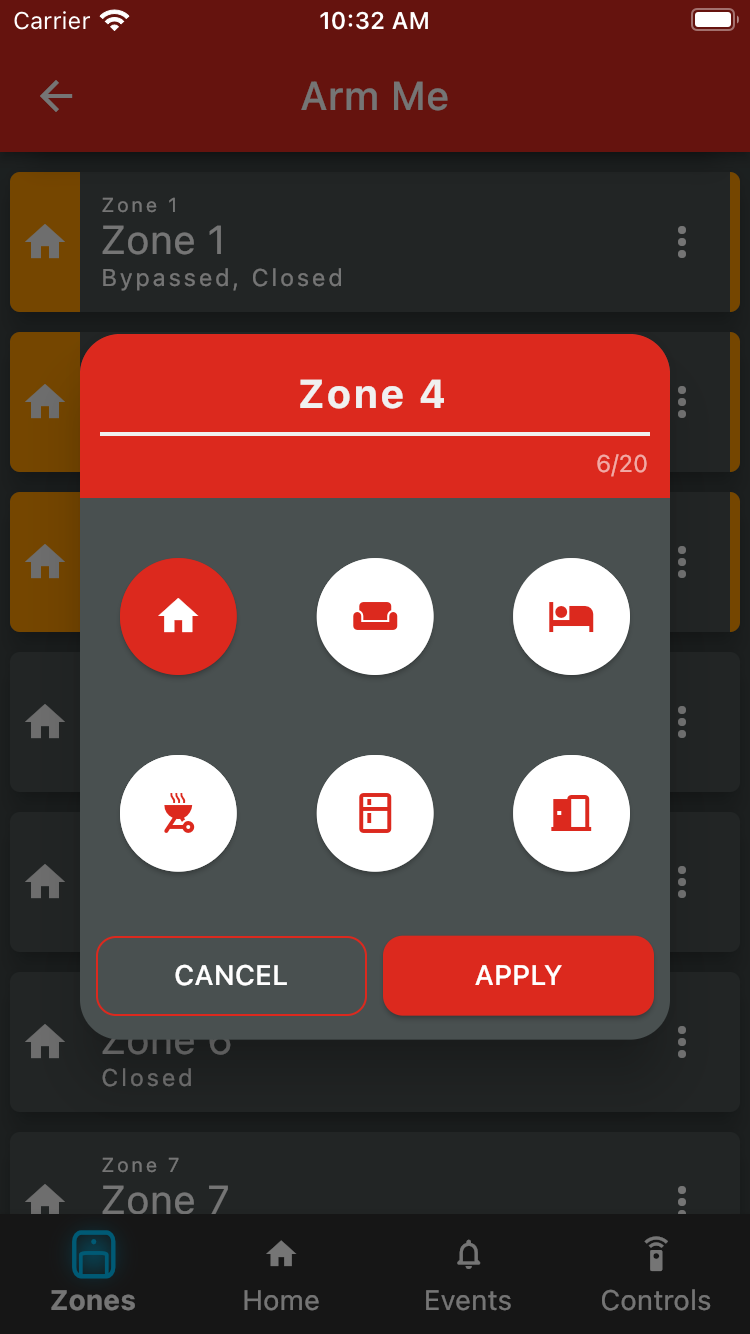
To change a zone's name or icon, start by tapping the three menu dots on the right-hand side of the card to open the Zone menu. Then tap 'Change Zone Name or Icon'. Tap 'Apply' so save your changes.
Was this article helpful?
That’s Great!
Thank you for your feedback
Sorry! We couldn't be helpful
Thank you for your feedback
Feedback sent
We appreciate your effort and will try to fix the article