Customising control name and output type
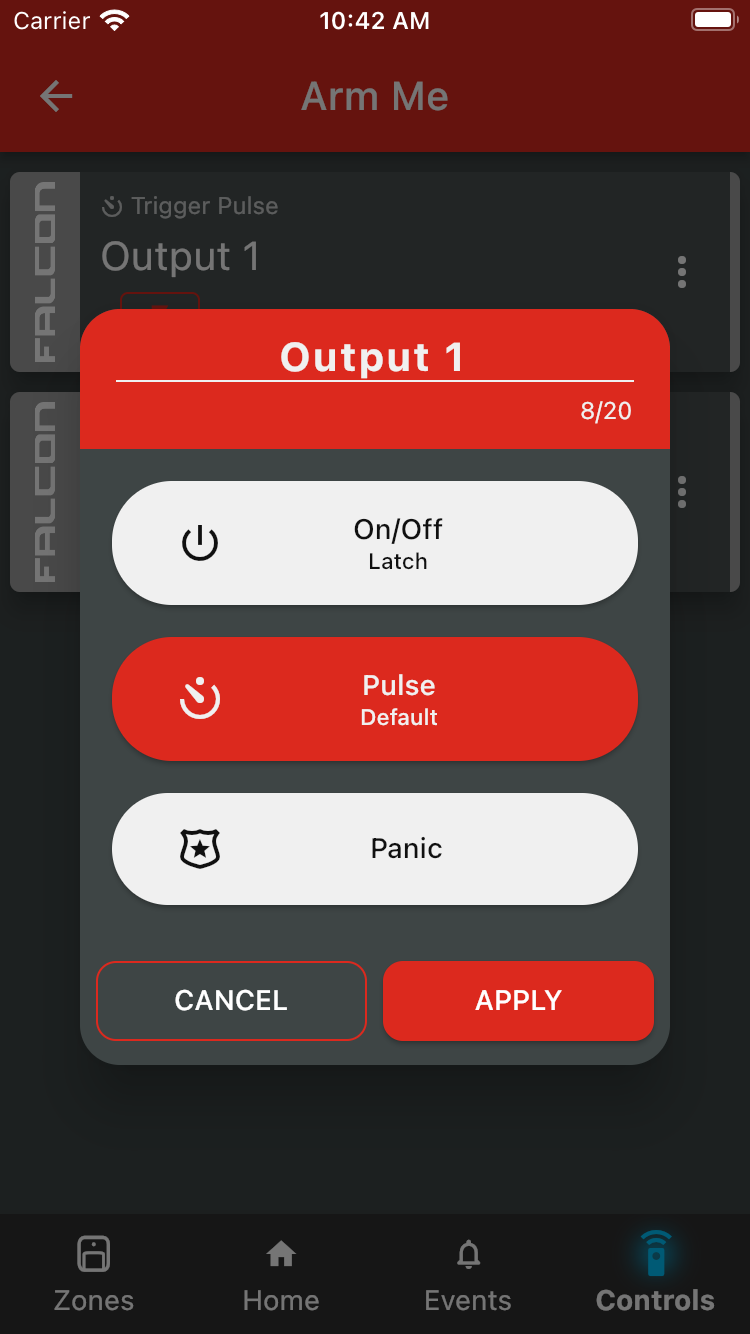
To change a control's name or output type from the security app, start by tapping the three dots on the right of the card to open the Output Settings dialogue. From here, you can change the name or select a new output type. Tap Apply to save your changes. To configure an output to be a Panic Button, please click here to learn more.
Was this article helpful?
That’s Great!
Thank you for your feedback
Sorry! We couldn't be helpful
Thank you for your feedback
Feedback sent
We appreciate your effort and will try to fix the article